A personal library for your documents
Finder shows you where your files are. Librium helps you organize them.
Searchable, taggable, favorited, and organized by meaning instead of folder path — without ever taking your files away from Finder.
 Free for 30 days · $19.99 one-time unlock · Requires macOS Sequoia 15.7 or later
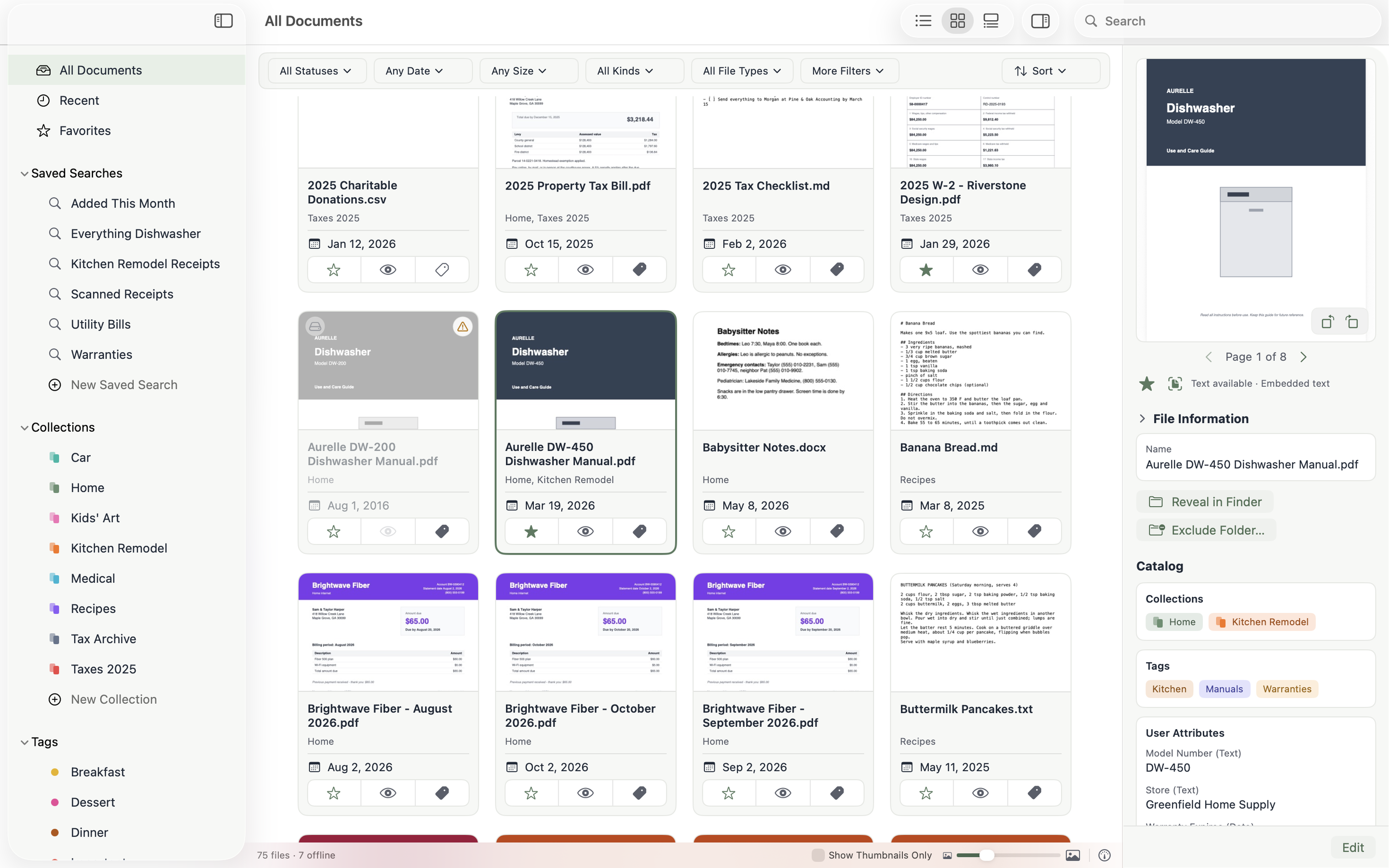
Your files stay exactly where they are.
Librium indexes documents in place and never moves, renames, or imports them on its own. Stop using Librium tomorrow and every file is right where it always was.
Left in place
No importing, no copies, no hidden library folder. Librium reads your folders as they are.
Alongside Finder
Open, reveal, and manage files the way you always have. Librium is a lens over your existing folders, not a replacement for them.
Nothing permanently deleted
Move to Trash always uses the system Trash, and removing or hiding a document in Librium never touches the file.
One library, no folder-hunting.
Watched folders appear as a single flat view, with full-text and OCR search that jumps to the matching page. Built for finding the sentence in the paper, not just the file.
Scanned receipts and photographed manuals are searchable too, and Favorites and Recent keep the things you reach for close at hand.
Organize your way.
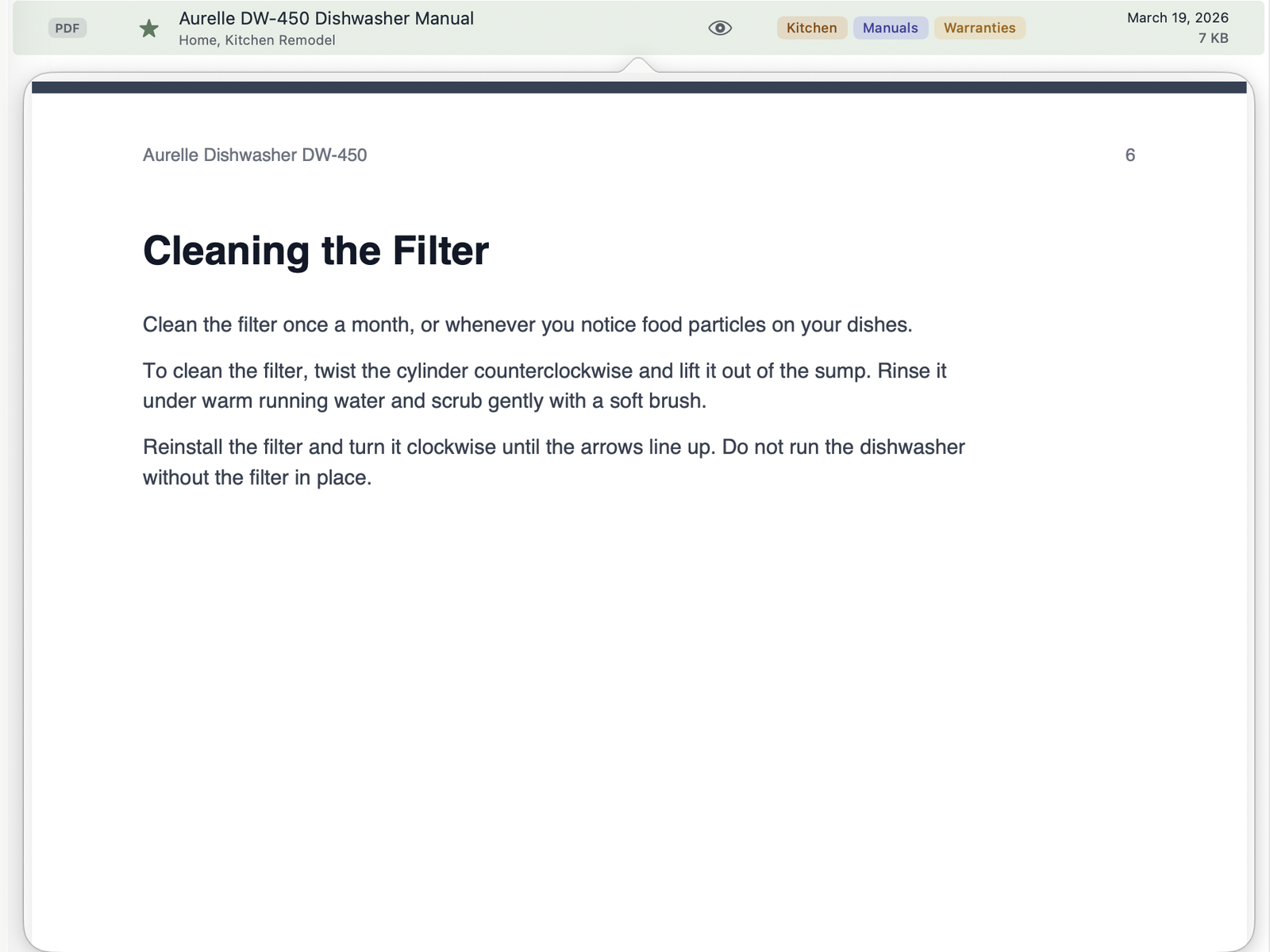
Tags and collections are first-class, each with its own color, and saved searches can combine them. One document can belong to as many as make sense while the file stays in its single place on disk.
- Home
- Utilities
- Warranties
- Recipes
- Car
- Kids’ Art
When it’s time to hand something off, export any collection, tag, or saved search as a folder of copies, with an optional record of each document’s tags and collections.
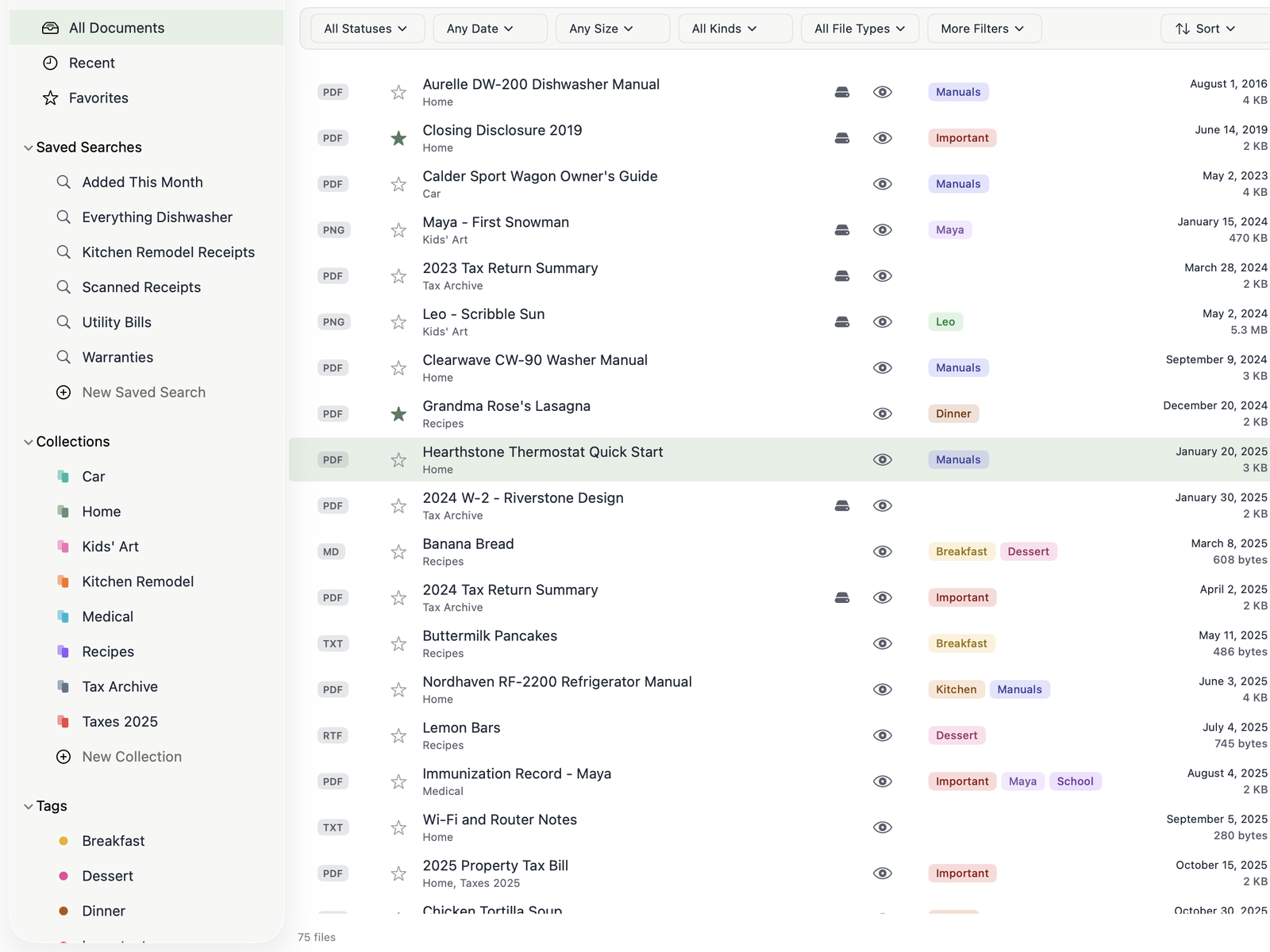
Offline files always at hand.
See your files wherever they are: your Mac, an external drive, or even a network drive.
When a drive disconnects, its documents stay in your library with their tags and collections, and you can keep organizing them until it’s back.
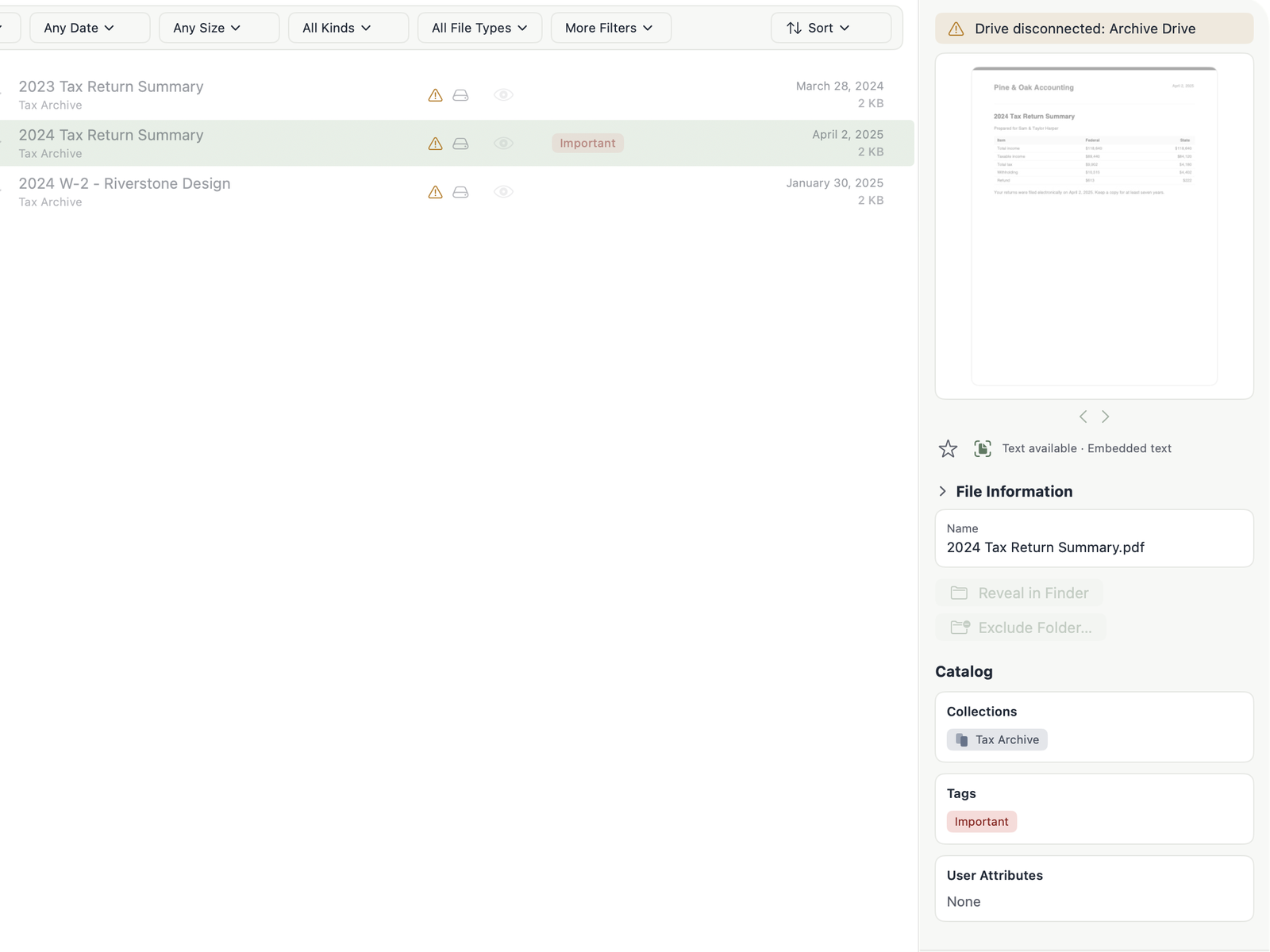
Take a peek.
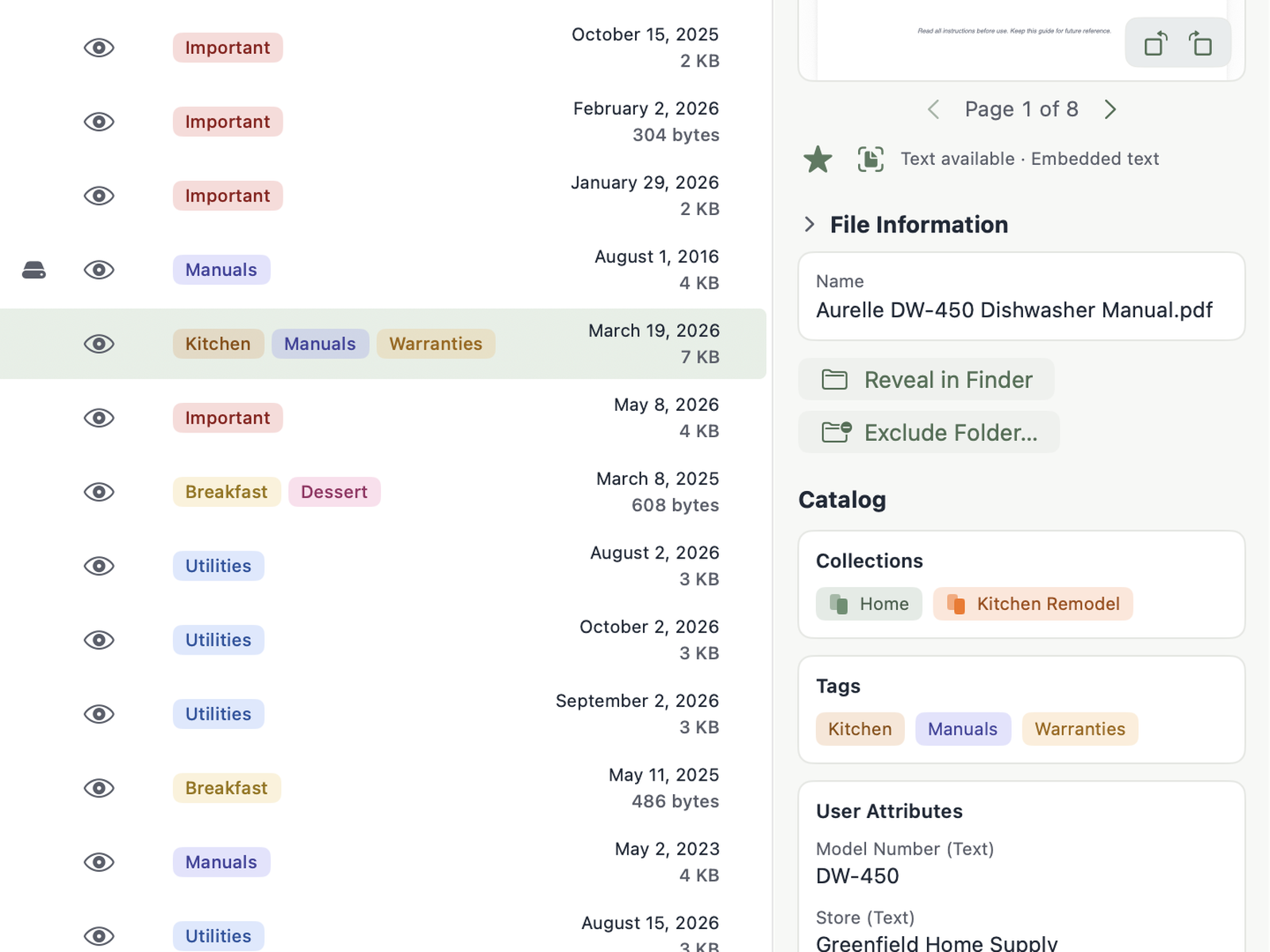
Peek at any document with a keystroke, or keep the Inspector open to see a preview, where the file lives, and everything it belongs to.
Rename, rotate a sideways scan, or send a file to the Trash when you ask — and only when you ask.
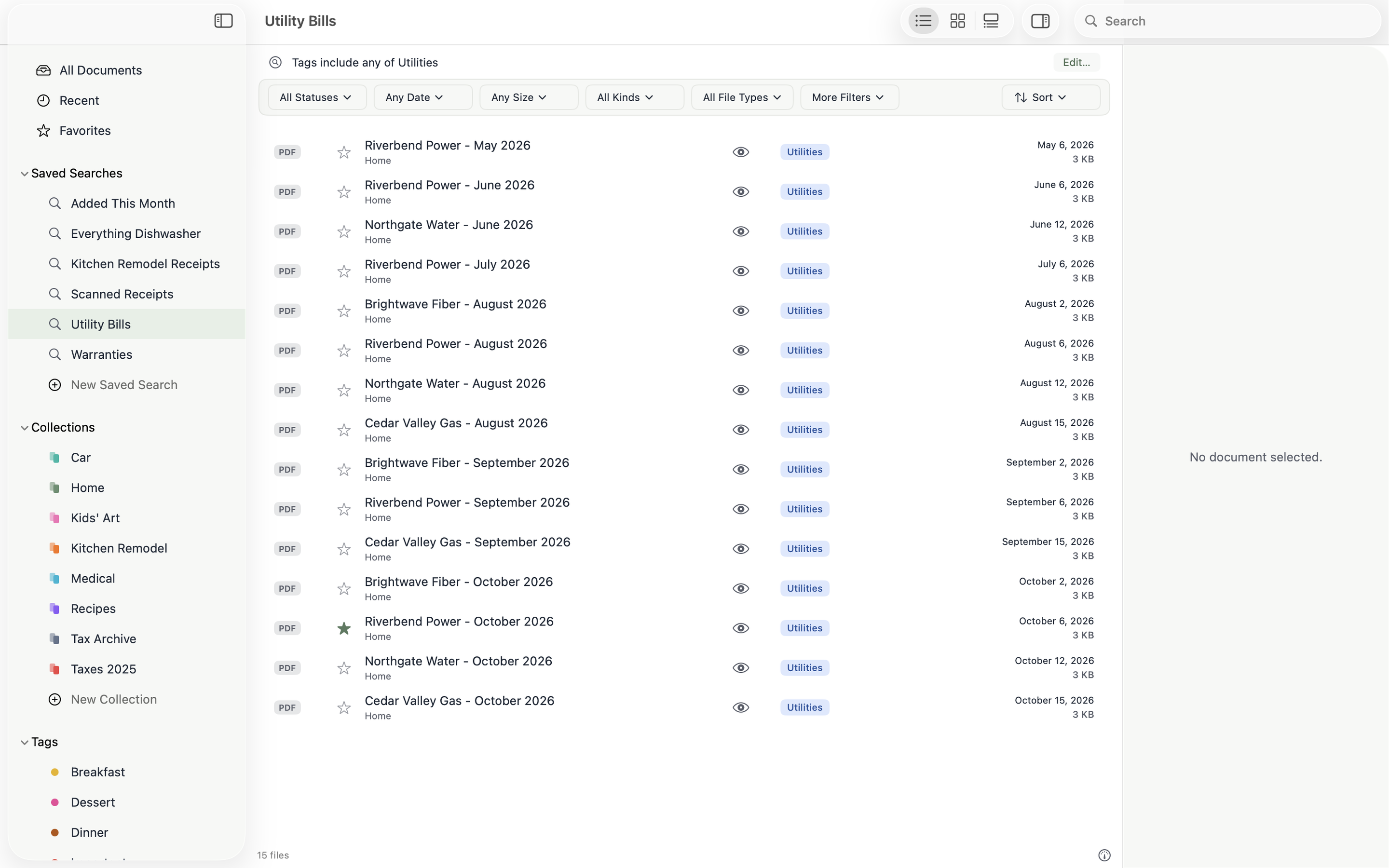
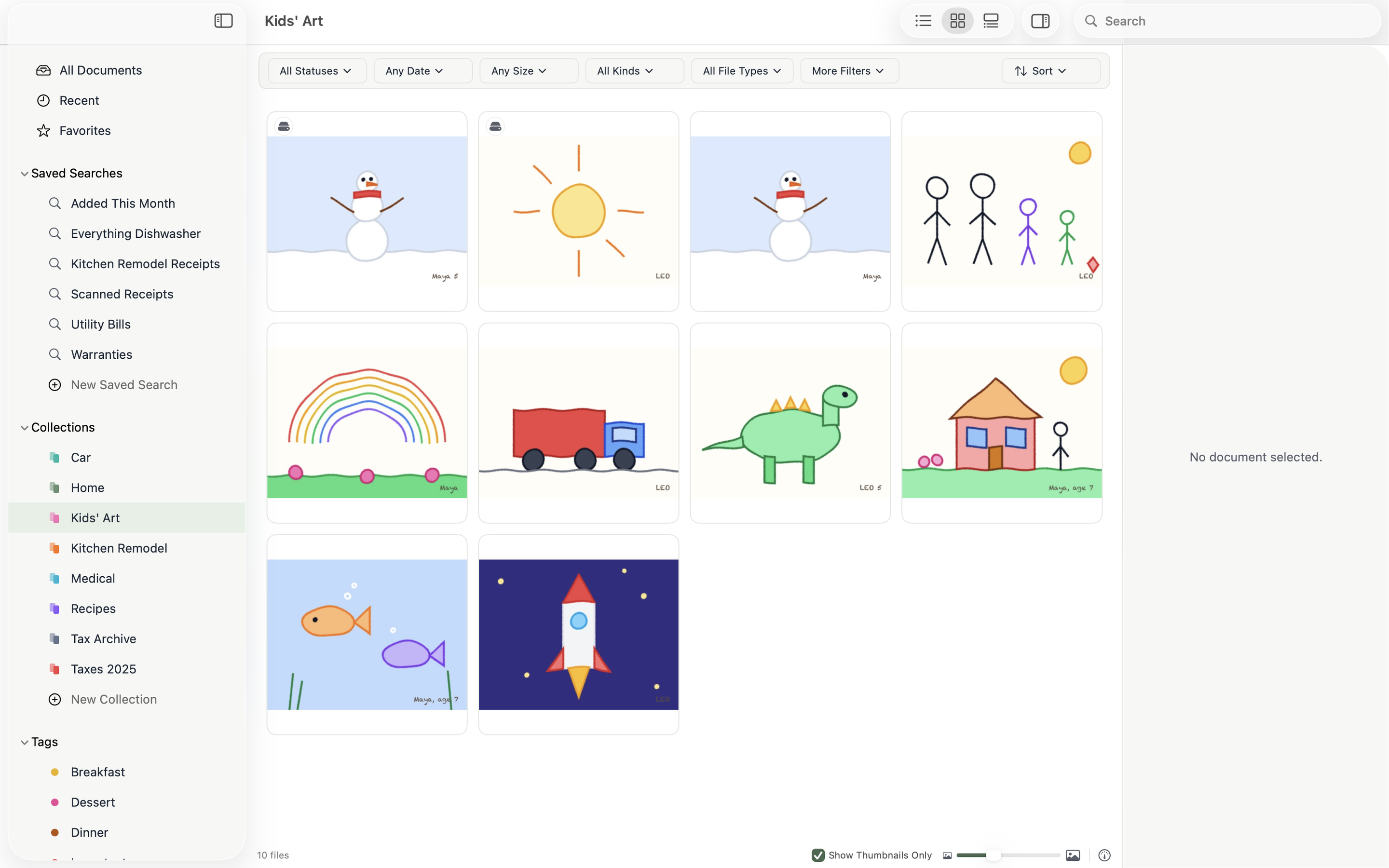
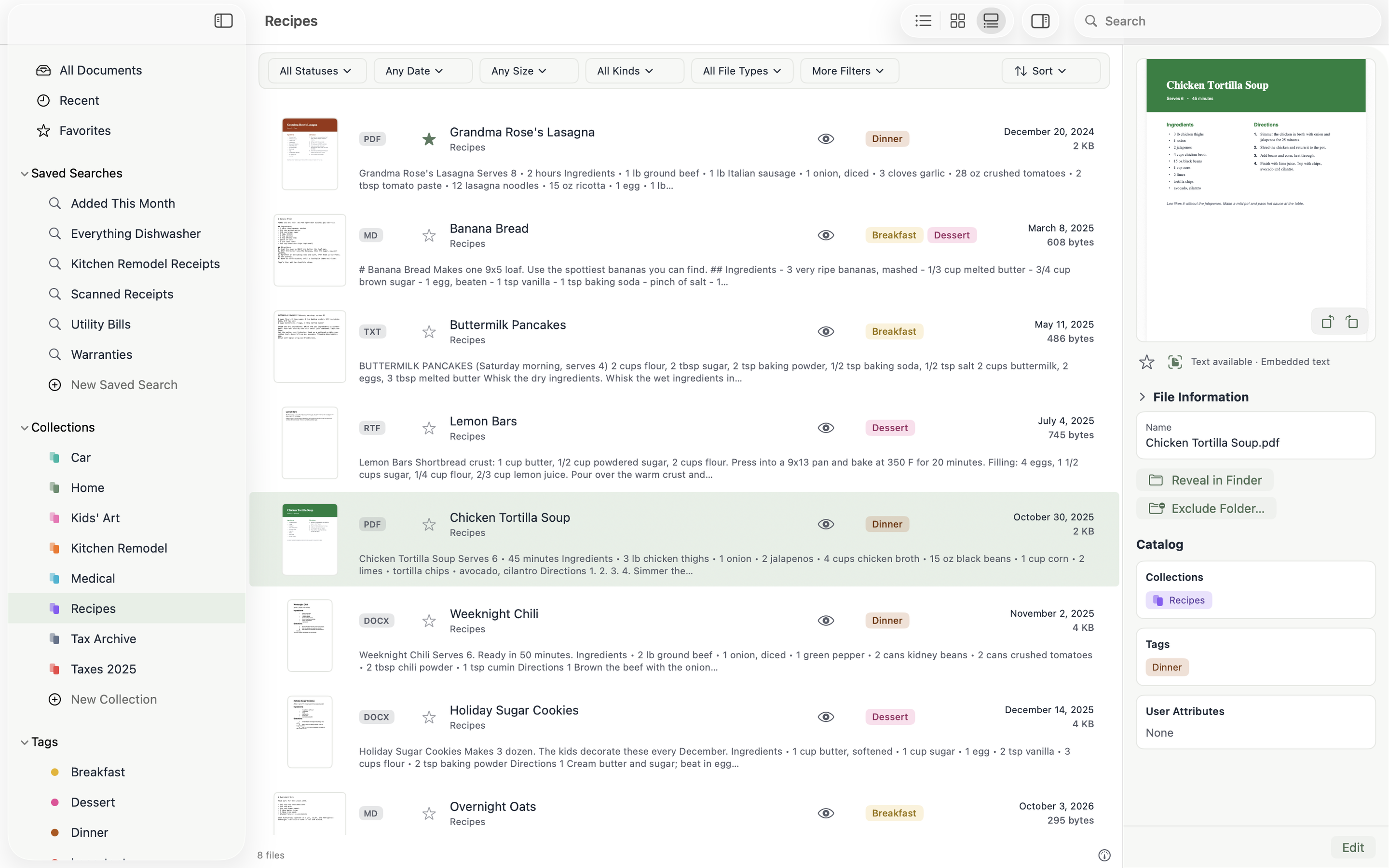
Three ways to browse.
A compact list for sorting, cards for recognizing things at a glance, and a detail view that shows what’s inside.
Private and local.
Your index and metadata live on your Mac. Librium uploads nothing.
Tax returns, medical bills and the lease stay between you and your Mac. Read the privacy policy

Bring order to the files you already have.
Point Librium at the folders you keep your life in. It takes it from there, and leaves every file where you put it.
Free for 30 days · $19.99 one-time unlock · Requires macOS Sequoia 15.7 or later